
See what customers see.
Technical monitoring for online stores
StoreVigil monitors availability and rendered storefront pages, detects technical and SEO-related issues, and uses visual evidence to show exactly where action is needed.
Free · up to 3 pages · no account · no changes to your store
See exactly where it breaks
An alert is only useful if you can find the affected element. For suitable findings, StoreVigil marks the exact image, link or control in the page context.
You can locate the problem immediately — even on long product pages.
Find broken images and links →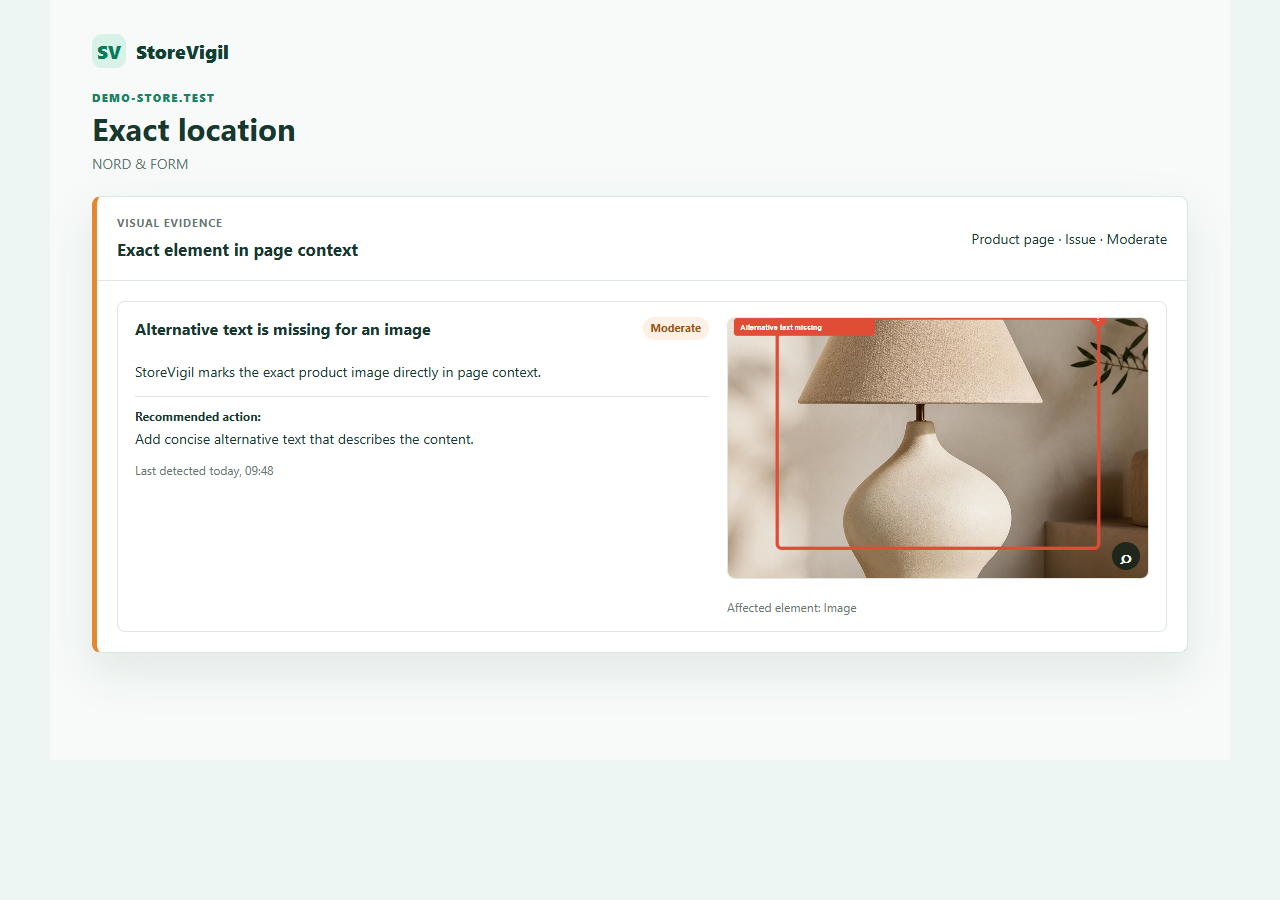
Your store at a glance
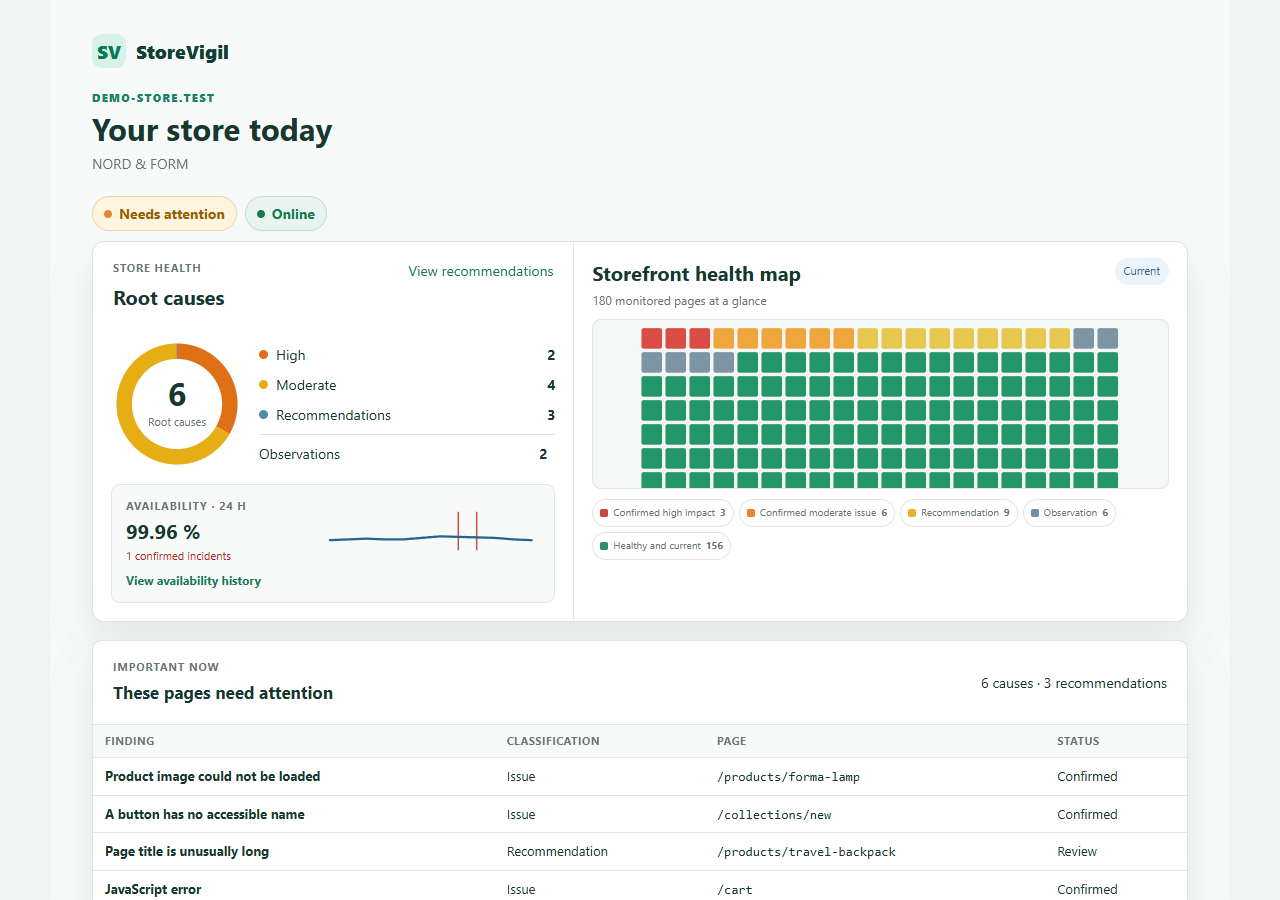
StoreVigil brings the state of all monitored pages into one clear overview.
You can see whether the store is available, where action is needed, which findings are recommendations and which pages are currently clear — without opening every page yourself.
Catch outages early
When your store is unavailable, customers cannot place orders. StoreVigil checks availability regularly and records confirmed outages and recoveries.
A single failed attempt is not immediately treated as a confirmed outage. StoreVigil checks again before an incident is verified.
Monitor availability and outages →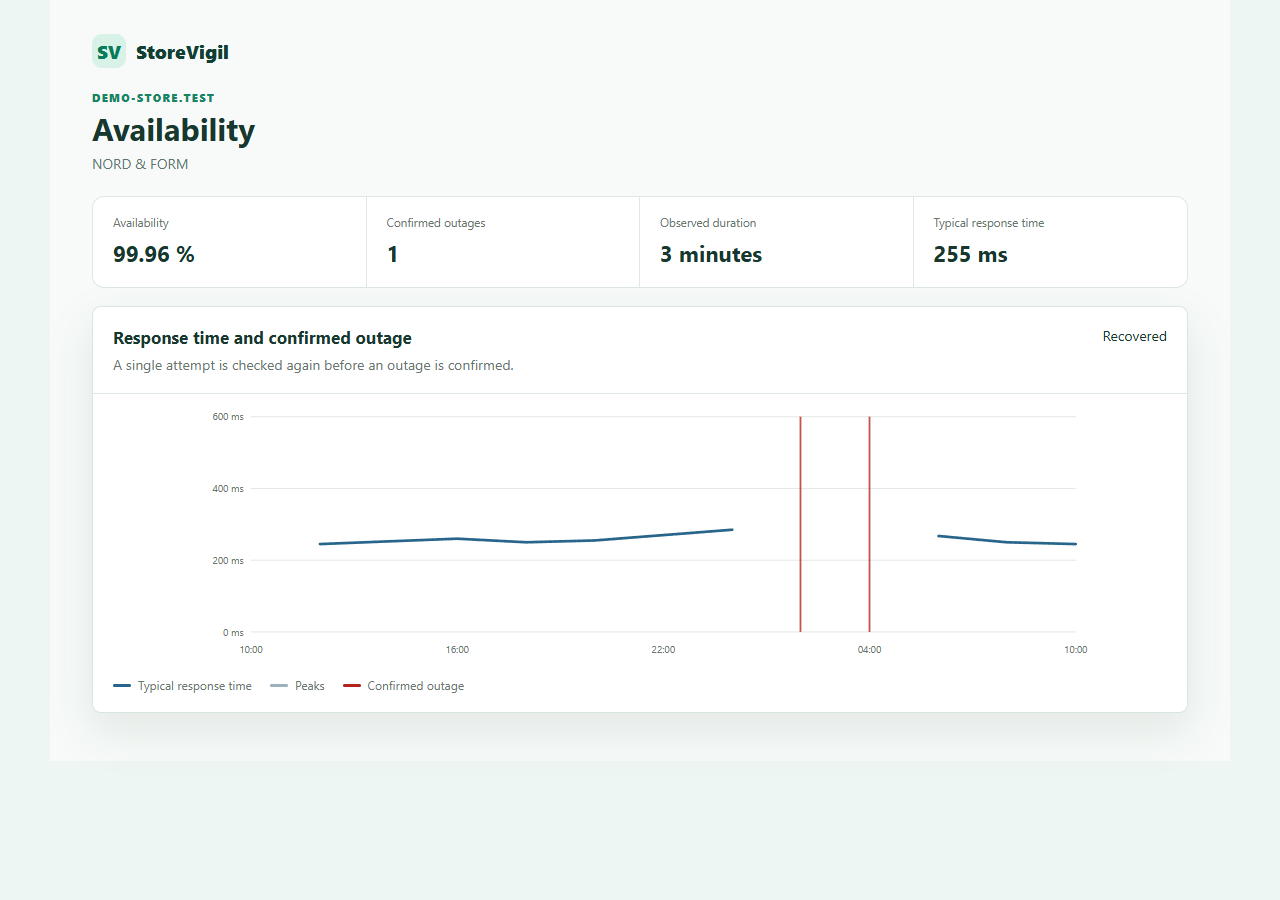
How fast does your store feel?
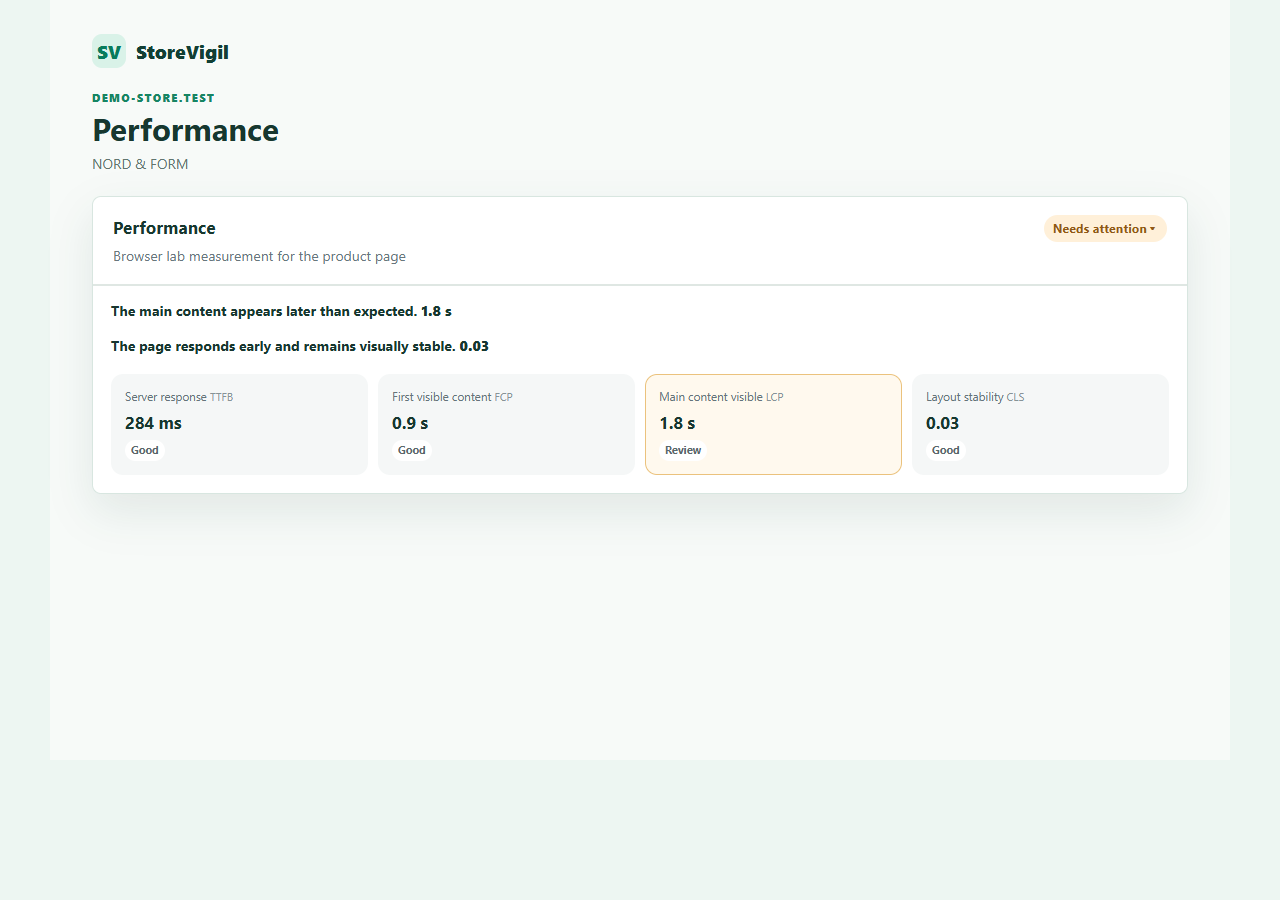
A page can be available and still feel slow.
StoreVigil looks at server response, first visible content, main content and layout stability, then translates those values into a clear assessment without forcing you to learn technical abbreviations first.
Understand storefront performance over time →Can everyone use your store?
A store can look perfectly normal to you and still be difficult for other people to use.
Screen readers need to understand what a button does, where a link leads and what an important image shows. StoreVigil checks selected accessibility foundations and can show the exact affected element for suitable findings.
StoreVigil does not replace a complete WCAG audit.
Check accessibility and SEO foundations →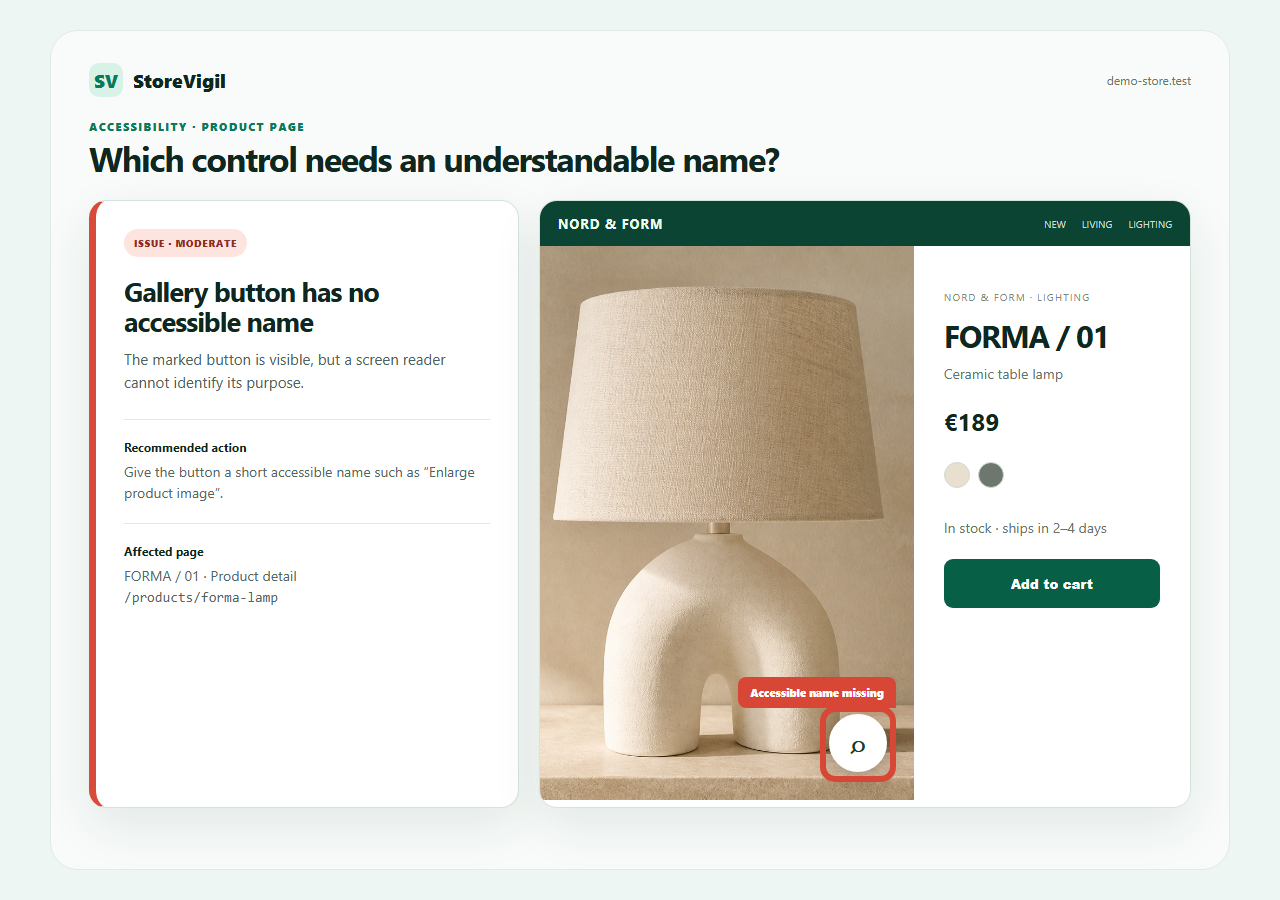
Search engines need clarity
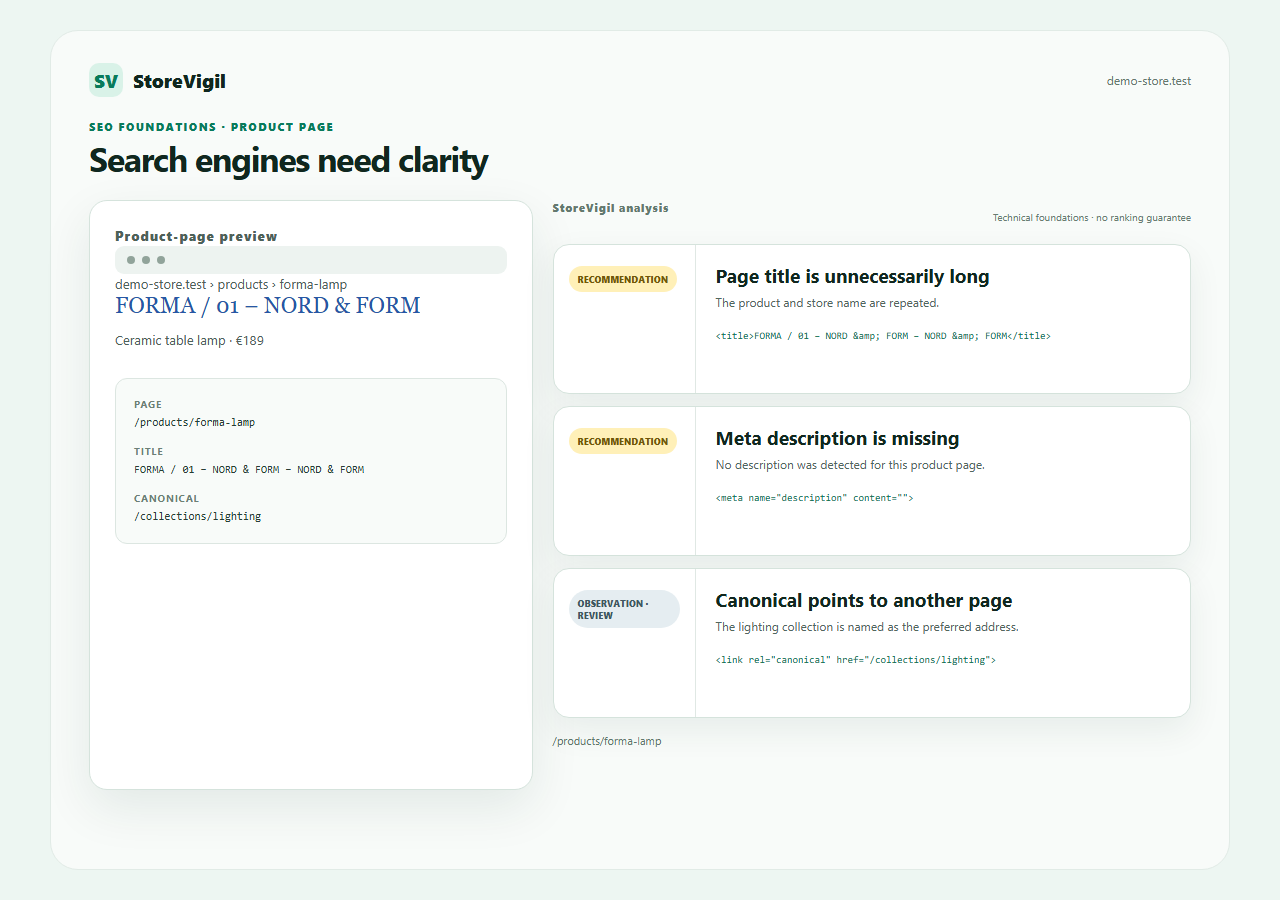
Clear page titles, descriptions and canonicals help search engines understand the right product or collection page.
StoreVigil shows which signal is missing or points somewhere else on each page. Technical issues and recommendations remain distinct; rankings are never promised.
See every technical check area →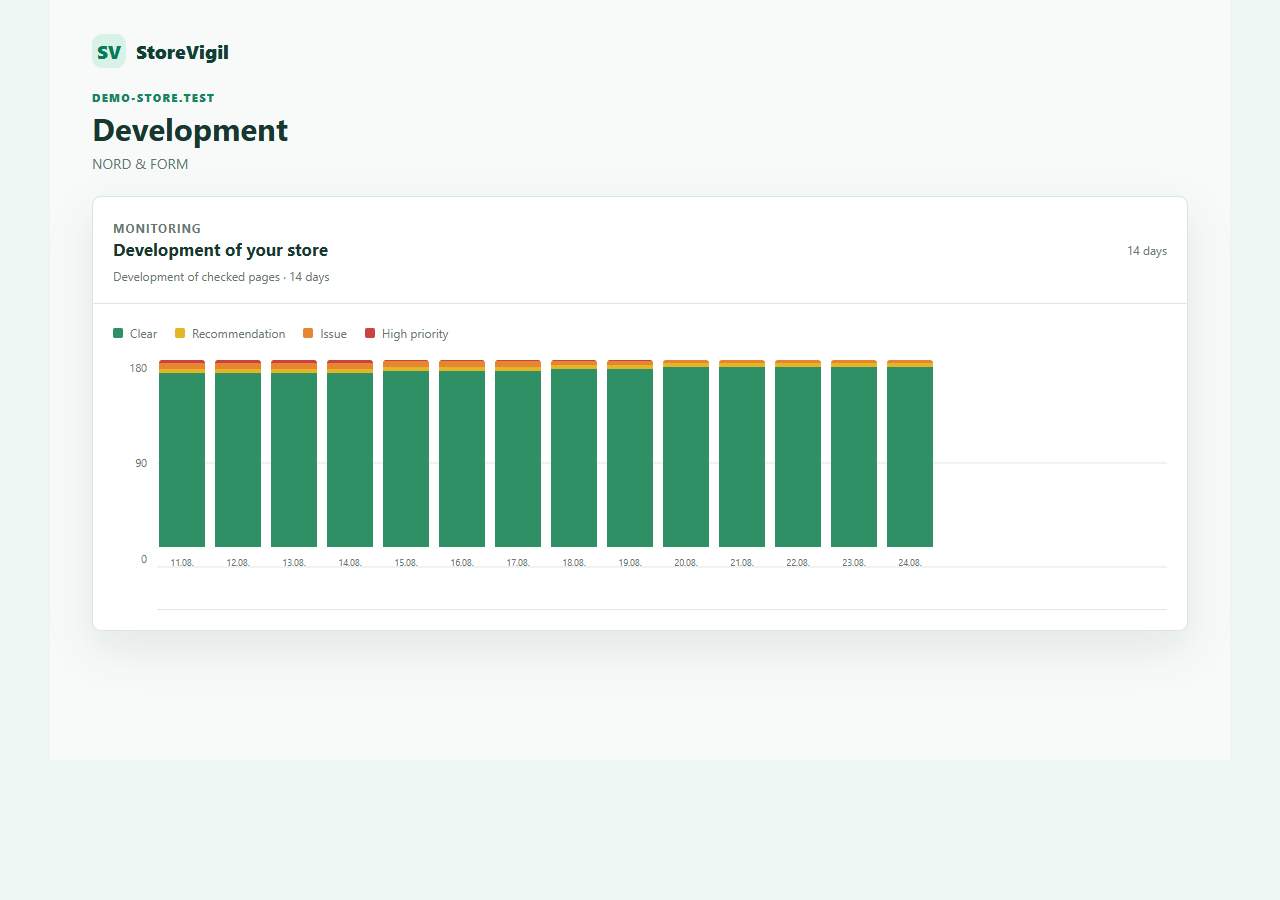
Changes do not go unnoticed
Themes, apps, products and content change constantly. New problems can appear even when everything worked yesterday.
StoreVigil checks pages again, verifies changes and records outages, recoveries and history. Reports and notifications keep you informed.
Understand monitoring and rechecks →Try StoreVigil free
Analyse and monitor your complete authorised storefront for seven days with a dashboard, rechecks and history.
No credit card required.
Frequently asked questions
Does StoreVigil change my store?
No. The free check and monitoring only read publicly available pages. StoreVigil does not add products to the cart, submit forms or change any content in your store.
Why does the free check analyse only three pages?
The free check is a representative sample. It shows what StoreVigil can observe on selected pages. Complete and recurring coverage is part of continuous monitoring.
Do I need a plugin?
No. The public address of your store is sufficient for the free check and normal web monitoring.
What happens when Cloudflare or another WAF restricts access?
When direct access is restricted, StoreVigil can check the store with an isolated browser. Restricted access is not automatically treated as a confirmed outage.
When will I receive an alert?
An outage alert is sent only after the store has been confirmed unavailable and according to your selected delay. A single failed attempt does not trigger an outage email.
Can I stop at any time?
Yes. You can disable monitoring. After a trial ends, no new checks are scheduled, while existing results remain visible according to the product terms.